
What is Cursor?
Cursor is an AI-first desktop code editor built on a fork of VS Code. You install it on your computer, open your local project folders, and use AI features like code generation, search, and edits directly inside the same workspace where you write and run code. In practice, it feels like a familiar developer editor with deeper awareness of your project.
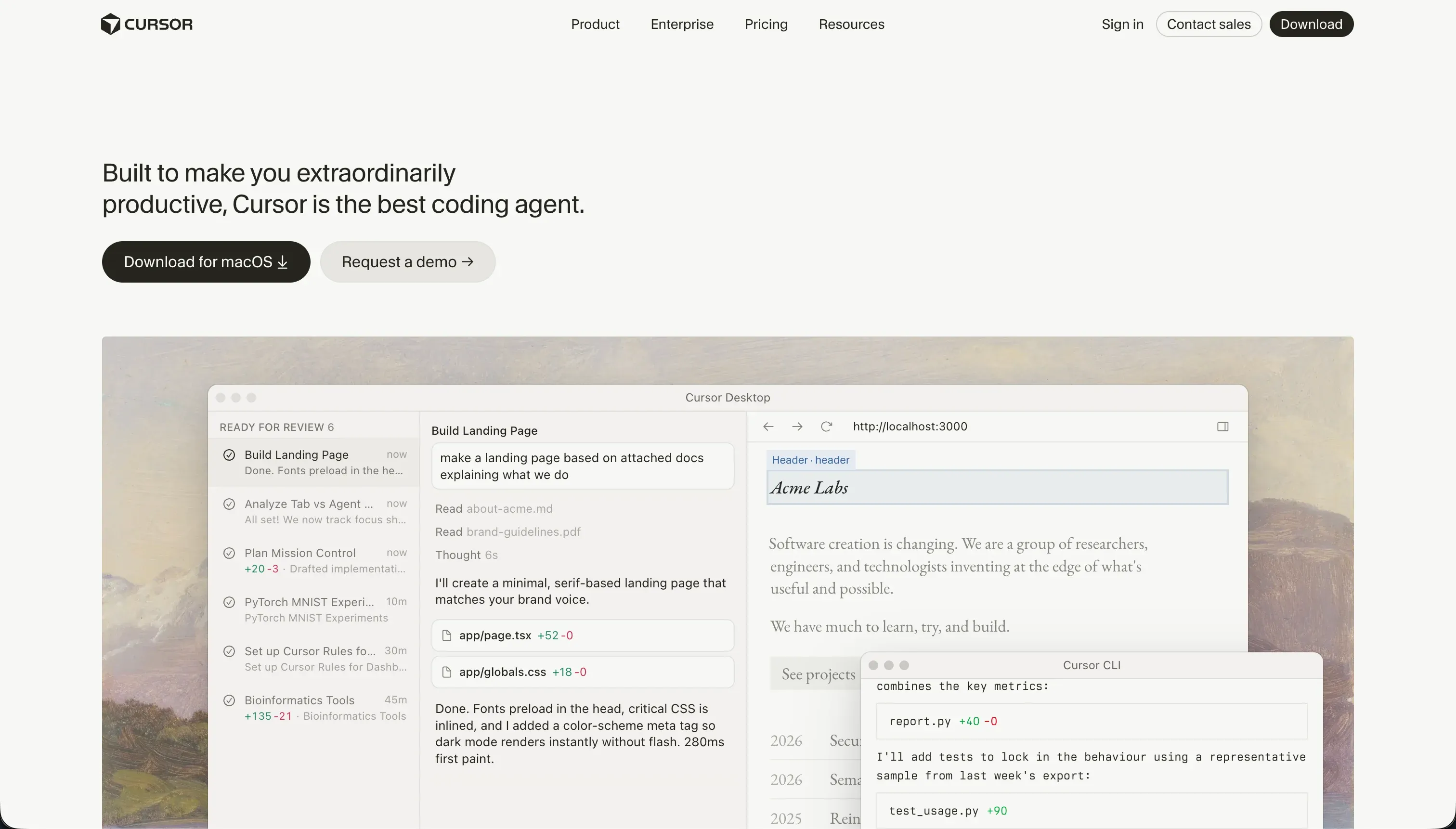 Cursor homepage snapshot
The bet Cursor makes is that AI coding works best when the model sits inside the editor, not in a separate browser tab. That means it can work against your actual files, use codebase context, and apply changes where you already build, test, and debug. Both halves matter: the familiar IDE keeps it usable for serious work, and the codebase-aware AI layer is what makes it meaningfully faster than plain autocomplete.
What can you build with Cursor?
Cursor’s sweet spot is building and maintaining real software in stacks where you want full code control.
- SaaS MVPs with custom business logic, APIs, and background jobs
- Frontend web apps in React, Next.js, Vue, or similar frameworks
- Internal tools connected to your own databases and services
- Mobile apps in Flutter, React Native, or native codebases
- Backend services for APIs, workers, and data processing
These work well here because Cursor is not a boxed no-code product. It is a full coding environment with AI layered into editing, refactoring, and codebase navigation, so you can use your preferred frameworks, package managers, and deployment targets. If your team already ships from Git-based repos and local dev setups, Cursor fits naturally.
Where it stops is turnkey app creation for non-technical builders. It does not give you built-in hosting, managed auth, or a ready database layer, and it should not be your first pick if you want a visual builder that hides infrastructure and debugging.
What users are saying
Across developer communities, the pattern is clear: people like Cursor most when they use it as a serious coding tool, not a replacement for engineering judgment.
- Deep codebase awareness makes answers feel more relevant than simple chat-based coding tools
- The VS Code foundation makes adoption easy for developers with existing editor habits
- Composer can save time on broad refactors and repeated multi-file edits
- Local project control appeals to builders who do not want a browser-only workflow
Complaints consistently center on reliability under heavy use and the economics of fast queries. Users describe Composer getting stuck on dependency or config problems, repeatedly trying unhelpful fixes while burning through paid usage. Others report performance strain on very large repositories and frustration when fast-query limits run out and responses fall back to slower queues. Our read: the upside is real for developers who can supervise it closely, but the value drops fast if you expect the agent to self-correct through messy project problems.
What it costs in practice
| Plan | Price | What you get | Best for |
|---|---|---|---|
| Hobby | $0 | 50 fast queries and the core local editor workflow | Trying Cursor on small projects |
| Pro | $20/mo | 500 fast queries, slow queries after that, Composer access | Most solo developers using it regularly |
| Pro+ | $60/mo | 3x limits (1,500 fast queries) | Heavy daily agent users |
| Ultra | $200/mo | 20x limits (10,000 fast queries) | All-day agent workflows |
In practice, Cursor pricing behaves more like a usage meter than a flat all-you-can-eat subscription. The big breakpoint is fast queries: once you exhaust them, the product still works, but slower responses can become noticeable during debugging sessions or long agent runs. That makes the Pro plan feel affordable for steady use, but not unlimited in the way many buyers first assume.
The main time costs spike is when you let agent workflows wander. A broad prompt, a messy repo, or a dependency problem can consume fast queries without much progress, so the real budget question is not just seat price but how disciplined your prompting and review habits are.
- Scope prompts to specific files or folders instead of whole-project sweeps.
- Use targeted context mentions to avoid wasting fast queries on irrelevant code.
- Stop agent loops early when it is repeating config edits without progress.
What are Cursor’s common alternatives?
The best alternative depends on whether you want more hosting convenience, more visual building, or a different coding interface.
| If you want… | Look at | Why |
|---|---|---|
| A visual app builder with built-in auth and data UI | Softr | It is easier for non-developers and removes most infrastructure work |
| Fast browser-based app generation and deployment | Replit | It combines coding help with hosted runtime and simpler sharing |
| A quicker path to polished web app prototypes | Lovable | Faster to a pretty first version, but expect Day Two cleanup once the prototype needs real maintenance |
| Terminal-native AI coding workflows | Claude Code | It fits developers who want AI help directly in command-line workflows |
| Frontend-first UI generation from prompts | v0 | It is stronger for generating polished React and Tailwind interfaces |
Evaluating the right development tool depends heavily on your technical background and what stage of the product lifecycle you are currently navigating. For developers who want to stay close to their existing codebases but desire a different interface, Claude Code offers a command-line approach that puts AI intelligence directly into your terminal workflows. If your focus is primarily on frontend aesthetics and you need highly polished user interfaces quickly, v0 and Lovable represent excellent alternatives. While v0 excels at spitting out clean React and Tailwind components from simple prompts, Lovable is designed to generate complete, beautiful web prototypes rapidly, though it may require you to perform some deeper code cleanup when it is time to scale.
On the other hand, if you prefer to bypass standard local setup altogether, Replit provides a robust browser-based environment that handles code generation alongside hosting and deployment, making it incredibly simple to share live previews of your application. For those who want to skip traditional coding entirely, Softr serves as a visual alternative that removes the friction of database setup and user authentication. Softr allows you to build functional, data-driven web applications by hooking directly into existing data sources, making it a great fit for non-technical creators who do not want to manage servers or complex code libraries.
Ultimately, choosing the right platform is a matter of balancing your need for raw code control against the convenience of automated interfaces and cloud deployments.
Who Cursor is for (and who it isn’t)
Cursor is a strong yes for experienced developers who want AI help inside a real editor and are comfortable owning the full software stack. It is especially well suited to technical founders, product-minded engineers, and teams shipping from existing repos, and it fits readers comparing tools in best vibe coding tools for AI coding or best vibe coding tools for agencies.
Skip it if you want a visual builder, do not know how to debug code, or need hosting and data setup handled for you. If your goal is launching internal tools or client portals without touching terminal errors, Softr is a more natural fit. The right reader will feel empowered in Cursor, and the wrong one should move on without guilt.