
What is Dyad?
Dyad is a local-first, open-source AI application builder operating on macOS, Windows, and Linux. It allows builders to describe their application in plain English to generate dynamic React and Tailwind layouts, backend API logic, and SQLite or PostgreSQL database schemas. Because it compiles and executes entirely on your physical machine, your codebase and sensitive dataset histories never touch a third-party cloud database without your explicit deployment instructions.
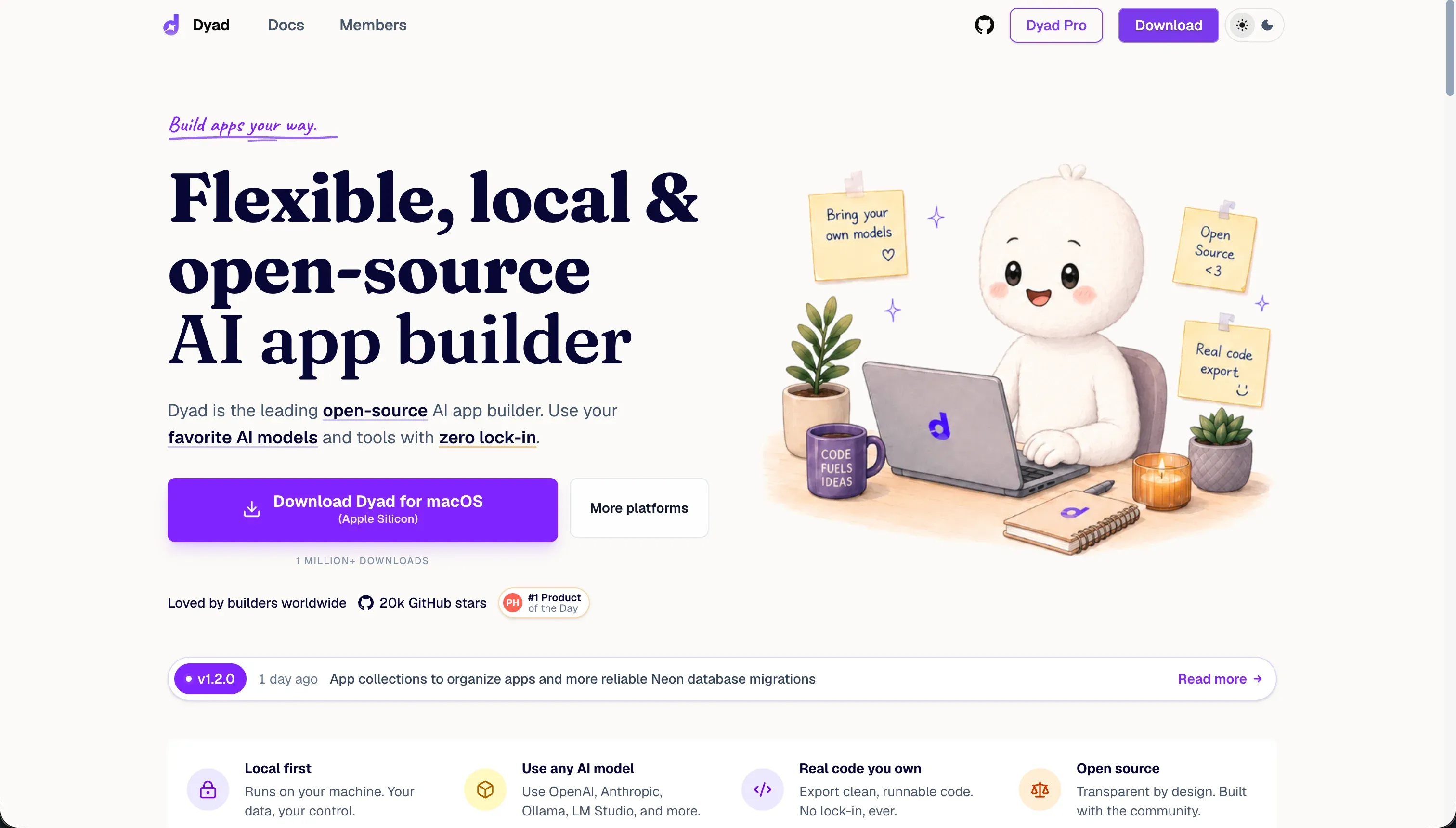 Dyad homepage snapshot
The core bet of Dyad is simple: data privacy shouldn’t be sacrificed for AI generation speed. While most vibe-coding tools run inside proprietary cloud browsers, Dyad delivers a local sandbox connected directly to your own LLM API keys or local models. This ensures you keep absolute codebase ownership and avoid developer lock-in right from the start.
What can you build with Dyad?
The honest sweet spot for Dyad is building clean, full-stack React and Tailwind applications backed by local SQLite databases. The things we see build cleanly here:
- Internal tools and dashboards displaying custom analytics
- Private databases and tracking apps requiring strict confidentiality
- SaaS MVPs designed for easy export to Git repositories
- Client portals and CRMs that you deploy on private servers
These projects thrive because Dyad writes standard, modern JavaScript code that isn’t locked into proprietary formatting. You can open any generated project in VS Code or Cursor, edit it manually, and commit the changes directly to your Git history.
Where the platform stops is anything built on legacy technologies. It struggles with older Bootstrap setups and does not support native mobile app files easily. Additionally, because it lacks a built-in hosting utility, it cannot easily run high-performance enterprise applications without you hand-configuring the infrastructure.
What users are saying
The developer community highlights a mix of appreciation for privacy and frustration with the early-stage setup ecosystem.
- Genuinely secure local codebase storage with no cloud platform dependency
- Direct API key access that keeps model usage fees transparent
- Smooth handoffs between visual AI prompting and local code editors like VS Code
However, community threads on Reddit and Product Hunt frequently call out early UI bugs, setup friction on Windows, and issues where free local AI models break databases during structural updates. Many users complain that the context limits are tricky to manage, causing the AI to over-prompt and bloat code files.
Our read: Dyad is loved by technical users who value data ownership and know their way around a terminal, but it remains too complex and fragile for complete non-coders.
What it costs in practice
Dyad uses a cost-effective billing model based on your choice of models. Developers select between a free local tier and a premium service.
| Plan | Price | What you get | Best for |
|---|---|---|---|
| Community | Free | Unlimited local apps, local model support (Ollama), BYOK | Solo developers needing high privacy |
| Pro | Subscription | Includes cloud credits, reasoning agents, and developer support | Teams and agencies building commercial apps |
Because the Community version uses a Bring-Your-Own-Key (BYOK) structure, your ongoing costs are billed directly by LLM companies like OpenAI, Anthropic, or Google. This saves you money because you avoid platform margins, but it means complex, long-running prompts will generate larger monthly bills from your API providers. If you run models locally via Ollama, your usage is free of model charges, but it requires capable hardware like Apple Silicon or an Nvidia GPU.
To manage these costs, we suggest three simple steps:
- Use cheaper models for layout drafting and restrict premium models for backend logic debugging.
- Regularly monitor your API dashboards to prevent recursive generation loops.
- Run local offline models like Ollama for early visual testing sessions.
What are Dyad’s common alternatives?
For builders looking for different options, several major alternatives stand out depending on your project type.
| If you want… | Look at | Why |
|---|---|---|
| A visual business tool with instant auth | Softr | Built-in secure infrastructure with flat pricing and zero complex local setup dependencies |
| A terminal agent for code you own | Claude Code | Command-line agent that edits existing files on your hard drive |
| A full browser IDE with managed hosting | Replit | Database, hosting, and deploy automation in a single browser window |
| Design-to-code frontends | v0 | Strong React layout prototyping with clean Tailwind components |
| A local AI-native code editor | Cursor | The leading AI coding editor, also running on your local machine |
When evaluating alternatives to Dyad, the choice depends heavily on where you want your development environment to live and how much manual configuration you want to manage. For teams that want to completely bypass traditional hosting and database setup, Replit offers a comprehensive browser-based integrated development environment that handles everything from databases to live deployment within a single window. If you are focused strictly on the user interface layer, v0 provides an exceptional design-to-code workflow that generates polished React layouts and clean Tailwind components instantly. On the other end of the spectrum, developers who prefer working with their own local files can turn to Claude Code, a terminal-based agent that modifies code directly on your hard drive, or Cursor, which stands as the premier local artificial intelligence code editor for desktop environments.
For businesses that require interactive portals but wish to avoid writing raw application code entirely, Softr presents a powerful visual path. It delivers built-in secure user authentication, flat pricing structures, and zero complex local environment dependencies, making it ideal for launching client portals and internal directories without managing servers. Each of these options serves a distinct workflow, whether you need deep desktop integration, a fully managed cloud sandbox, or a visual builder that skips the development lifecycle entirely. Choosing the right platform ultimately comes down to balancing your need for raw coding control against the speed of automated infrastructure.
Who Dyad is for (and who it isn’t)
Dyad is the top alternative for privacy-first developers who want to experiment with visual AI builders while retaining absolute control of their dataset and codebase. This focus makes it a strong contender in our best-vibe-coding-tools-for-ai-coding guide, especially for teams handling sensitive internal customer records.
You should skip this tool if you want a zero-setup, one-click hosting solution where you never have to troubleshoot system files. Non-technical business teams should look at platforms like Softr, which handle security, portals, and databases out of the box without any local command line errors. But for developers looking for a local code partner, Dyad is a unique builder that protects your security.