
What is Devin?
Devin is an AI-first desktop developer IDE built by Codeium. Constructed on top of a customized VS Code fork, it embeds agentic coding features directly into the core editing experience. Its central feature is Cascade, an AI helper designed to read through entire directories, propose complex edits, execute commands in its integrated shell terminal, and diagnose development errors alongside the engineer.
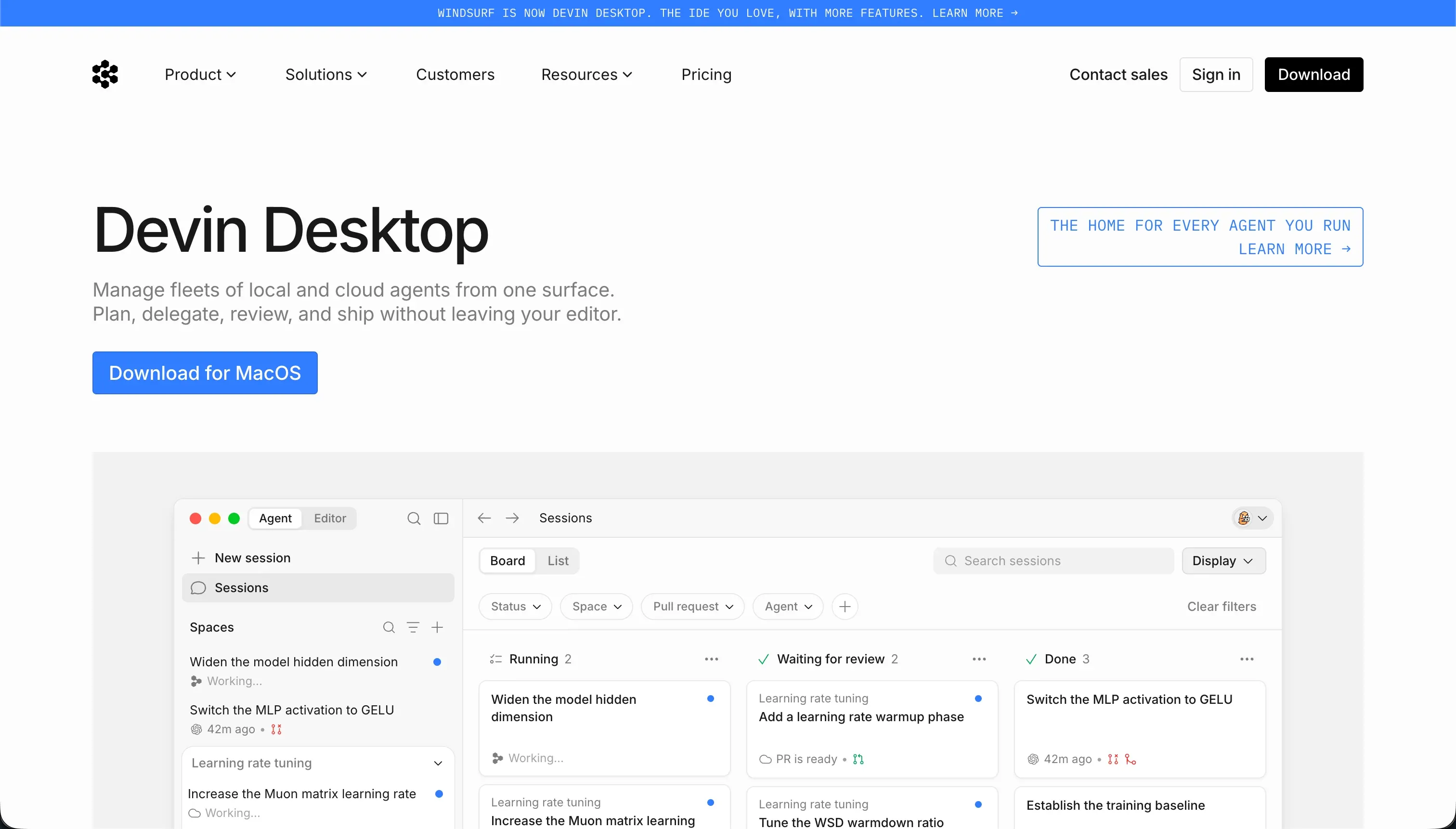 Devin homepage snapshot
The conceptual foundation is to provide a local workspace assistant that acts as a junior developer companion rather than fully abstracting away the code. Codeium bets that the developer must remain in full control of terminal scripts, file diffs, and local configurations. This approach keeps the tool aligned with professional standard operating procedures, but it requires developers to manage all compilation, packages, and structural deployments on their own.
What can you build with Devin?
The honest sweet spot for Devin is editing, refactoring, and maintaining local codebases rather than publishing instant apps from natural language.
- Full-stack web applications inside standard Javascript, Python, or Ruby setups
- Automation scripts and web scrapers using custom shell environments
- Software testing frameworks by instructing the agent to mock test cases
- Microservices and server frameworks requiring explicit directory architectures
These patterns function well because Devin has full access to inspect imports and local packages. The tool analyzes configurations and offers swift autocomplete while you type. However, the system cannot compile, run, or host applications for non-technical creators. If you do not have command line experience, local infrastructure knowledge, and Git mastery, the build setup will fail before you can start writing your application.
What users are saying
The developer community shares a consistent split of feedback regarding Devin’s editing sessions.
- Quick autocomplete speed is consistently praised for reducing typing overhead
- Direct import of VS Code configurations makes setup immediate
- Strong local system awareness allows Cascade to analyze complex workspace folders
However, user complaints focus heavily on recent performance declines, buggy edits, and session hiccups. Users noted that Cascade can occasionally duplicate file reads instead of typing code, ignore direct instructions, or hallucinate imports. Some reviews outline issues where autocomplete suggestions disappeared completely or sessions stalled midway through large files.
Our read: Devin is a formidable companion when guiding it through precise tasks, but it lacks the bulletproof reliability to run completely unattended on complex codebases.
What it costs in practice
Devin’s pricing model is straightforward, operating on flat desktop subscriptions rather than billing for individual API calls.
| Plan | Price (Billed Annually) | Price (Billed Monthly) | Key Features |
|---|---|---|---|
| Free | $0 | $0 | Basic autocomplete, limited Cascade prompts |
| Premium | $15/mo | $20/mo | Unlimited autocomplete, Advanced Cascade access |
| Teams / Business | Custom | Custom | Shared context indexing, SOC 2 compliance |
In practical use, subscription limits are gentle compared to per-token systems, but intense sessions can still hit credit caps on Premium plans. Autocomplete speed remains fast since it utilizes Codeium’s proprietary hosting. However, developers must factor in external costs for cloud databases, hosting, and deployment pipelines, since Devin does not provide application infrastructure.
- Use the Free tier to evaluate Codeium’s autocomplete latency in your corporate network.
- Point Cascade at specific local files instead of repeatedly querying massive directories to conserve credits.
- Verify proposed diffs manually before letting the terminal execute complex tasks.
What are Devin’s common alternatives?
The right choice depends on whether you seek visual builders, autonomous web frameworks, or alternative terminal editing environments.
| If you want… | Look at | Why |
|---|---|---|
| An AI code assistant that leads the IDE lane | Cursor | Cursor currently sets the desktop standard with deeper model integration |
| Terminal-driven agent coding | Claude Code | Runs natively in your terminal for command-line agent workflows |
| Business apps without code (portals, internal tools) | Softr | Logins, roles, forms, and databases are platform features, no terminal required |
| Instant deployment-ready MVPs | Bolt | Generates and hosts full web apps inside the browser tab |
| An intuitive AI coding sandbox | Replit | Combines your database, server hosting, and code editing in one managed link |
When evaluating alternatives to Devin, developers and business leaders must first determine whether they need a fully autonomous software agent or a highly integrated development environment. For those who want the gold standard of AI-assisted coding within their daily workspace, Cursor stands out by embedding deeply into the desktop IDE experience to make editing and refactoring seamless. On the other hand, developers who prefer keyboard-driven operations will find a powerful ally in Claude Code, which runs directly in the terminal to execute complex agent workflows without forcing the user to leave the command-line interface. Each tool approaches the challenge of automated development from a different entry point, whether that is the editor itself or the native terminal environment.
For creators and founders who do not need to manage a terminal at all, there are excellent sandbox and visual-first alternatives available. Bolt allows anyone to generate and host full web applications entirely within a single browser tab, making it ideal for launching instant, deployment-ready minimum viable products. If you prefer a more comprehensive, managed workspace that merges your database, hosting, and code editor into one cohesive link, Replit offers an intuitive sandbox that simplifies the deployment pipeline. When your goal is solely to build functional business applications like user portals and internal tools without writing any code, Softr provides a completely visual approach where user logins, forms, and databases are prebuilt platform features.
Ultimately, choosing the right tool depends on your technical comfort level and whether you require an autonomous agent, an intelligent editor, or a visual application builder to bring your software ideas to life.
Who Devin is for (and who it isn’t)
Devin is a capable option specifically for software developers looking to accelerate code creation inside a desktop VS Code workspace. It fits well into best-vibe-coding-tools-for-ai-coding for builders who want to review every file edit and maintain complete repository ownership. For engineers who dislike web sandbox environments and want classic local folder controls, Devin behaves like a helpful assistant.
Skip Devin if you cannot write, debug, and configure standard code manually. If you are a business builder looking to launch internal tools or tracking portals without handling local environment variables, terminal servers, or Git conflicts, a visual application platform like Softr will fulfill your goals with visual certainties and no coding overhead. For developers who are already embedded inside Cursor, Devin remains a solid but secondary option that currently occupies a highly crowded developer IDE market.