
What is Codex?
OpenAI Codex is a lightweight, terminal-based AI coding agent and companion desktop application built to run directly inside a developer’s local environment. It operates directly at the command line, parsing repositories, spinning up branches, writing code, and running local tests. Rather than hosting your code on an external platform, Codex relies on your local IDE and setup, allowing builders to run command-line scripts directly under AI execution.
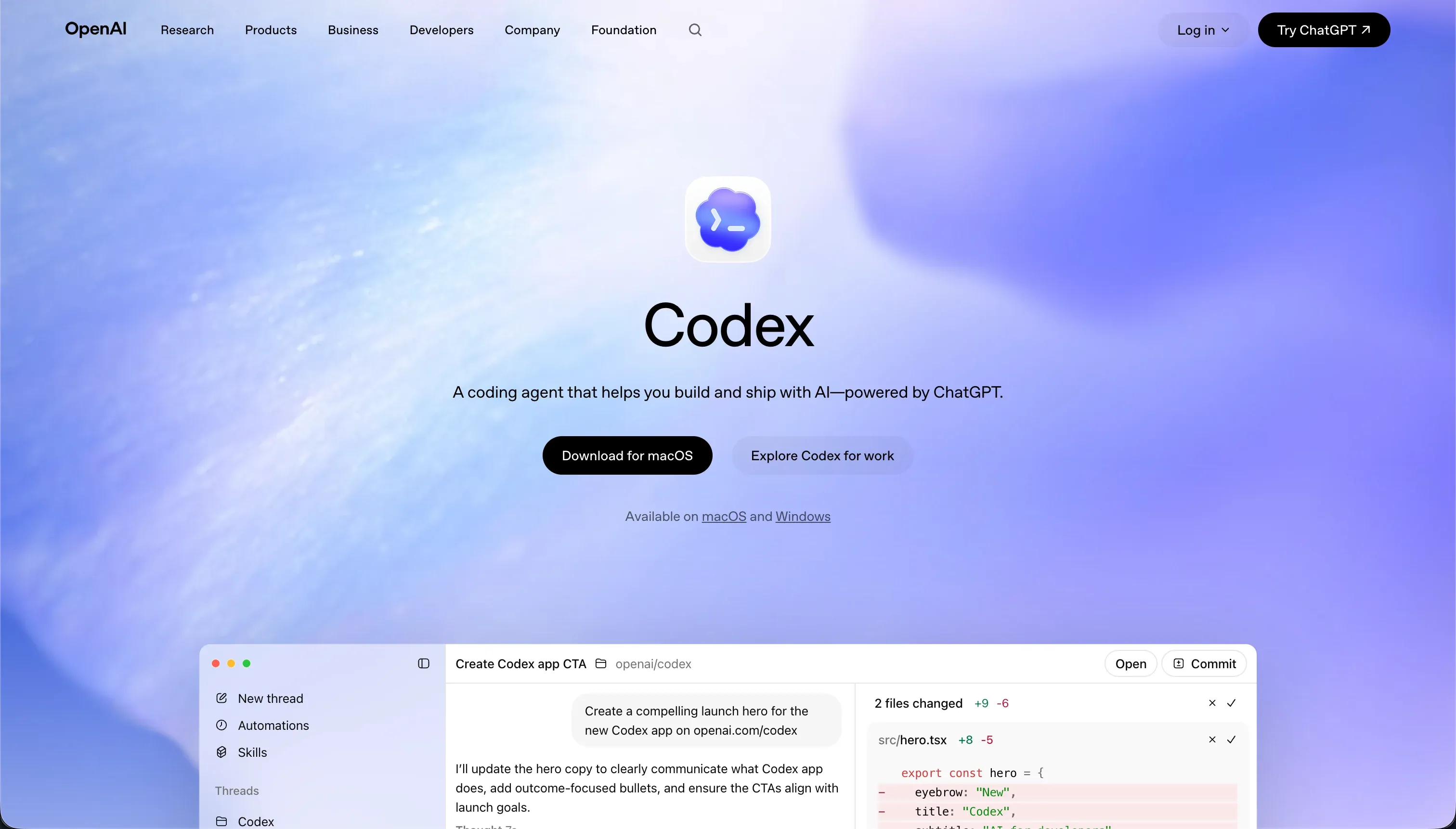 Codex homepage snapshot
The core bet of Codex is that professional developers do not want a bloated visual editor or a web-hosted sandbox. They want an intelligent agent embedded directly in their local terminal that respects Git workflows and operates with high token efficiency. By bridging a command app for monitoring parallel threads with CLI script execution, it seeks to automate the boilerplate engineering runs that cost builders raw time.
What can you build with Codex?
The sweet spot for Codex is automating local engineering tasks, script scaffolding, and git-based refactoring runs inside existing codebases. The things you can cleanly task Codex with include:
- Automated repo refactoring across multiple files in parallel branches
- Test suite generation and automated local test script execution
- Template scaffolding for backend APIs and microservices
- Continuous integration helper scripts written and deployed to local files
These workflows succeed because Codex reads direct file structures and runs local commands natively inside your environment. However, where this tool stops is anywhere outside of code. Codex is a CLI tool that does not compile, run, host, or server-authenticate applications. Builders maintain complete ownership over hosting infrastructure, environments, databases, and dependencies, making it fundamentally incompatible with non-developers.
What users are saying
The feedback from the developer community is split between praising its parallel background execution and complaining about performance latency and credit consumption speeds. The community consistently highlights several core benefits:
- Efficient parallel branch execution that reduces conflicts
- Natural integration with local git files and workflows
- Cost efficiency compared to running general-purpose chat agents
However, user complaints on r/singularity and r/codex highlight frustration over slow performance and overcomplicating simple tasks. In comparison threads on r/ClaudeAI, users assert that the models struggle to stay in their lane, often expanding scopes unnecessarily or forgetting project context during long iterations. Additionally, the credit math is a major point of friction since the end of the 2X launch promotion in June, with developers noting that simple parallel workflows burn through remaining allowances rapidly.
Yesterday I tried the new Codex and it was so slow… took an hour to do 5 minute work but I killed it at step 1 out of 3, couldn’t have patience anymore.
Our read: Codex is a solid backend automator for senior builders who can supervise the agent’s work. It is not an auto-pilot engineer that you can leave unattended.
What it costs in practice
Codex has no standalone subscription model and is instead bundled directly into OpenAI’s core ChatGPT pricing tiers. The cost of running Codex is completely dependent on your general ChatGPT usage limits and pricing plans.
| Plan | Price | What you get | Best for |
|---|---|---|---|
| ChatGPT Free | $0 | Basic access to coding completions | Trial and basic testing |
| ChatGPT Plus | $20/mo | Bundled Codex CLI/Agent access | Standard indie developers |
| ChatGPT Pro | $200/mo | High-priority access & o3-mini/o1 | Heavy enterprise refactoring |
In practice, pricing adds up fast if you run heavy refactoring runs. According to OpenAI’s own help documentation, an average developer spends between $100 and $200 per month under token-based limits. One developer on r/codex reported burning through an entire 850 credit allowance in one single day using four parallel agents across eight queries. Solo founders also note that combining these token limits with external APIs makes the billing difficult to predict.
We recommend three distinct habits to keep your Codex bill from spiking:
- Run the agent on focused individual helper scripts rather than the entire workspace.
- Keep your tasks limited to containerized branches so loops do not run wild on production databases.
- Monitor your credit burn closely in the OpenAI dashboard during parallel task dry runs.
What are Codex’s common alternatives?
Choosing the right alternative to Codex depends entirely on your developer experience and whether you want a visual builder or a native terminal engine.
| If you want… | Look at | Why |
|---|---|---|
| A visual, no-code production app | Softr | Built-in hosting, user auth, and databases managed visually with flat pricing plans |
| An autonomous browser-based IDE | Replit | Handles database provisioning, deployment, and hosting in a single workspace |
| A native terminal agent with Claude | Claude Code | Advanced command-line execution optimized for Anthropic’s reasoning engines |
| An AI-first local desktop editor | Cursor | A complete IDE wrapper that natively handles predictions, edits, and chat |
| Fast polished web prototypes | Lovable | Quick visual frontends from prompts, with the usual Day Two cleanup risk once you need to maintain them |
When evaluating alternatives to Codex, the strongest option depends on how hands-on you want the building process to be and where you prefer your workflow to live. If speed and minimal setup matter most, Softr stands out as a no-code route that bundles hosting, database connectivity, and authentication into a streamlined product with relatively predictable pricing. By contrast, Replit is better suited to users who still want a developer-oriented environment but prefer it fully hosted in the cloud, since it combines coding, deployment, and infrastructure management inside a single browser-based workspace that reduces setup friction from idea to release.
For developers who want more direct control over code, Cursor offers a smoother fit with traditional engineering habits by acting as a desktop-first IDE experience with integrated chat, inline editing, and code generation. Claude Code pushes even further toward a terminal-native workflow, making it appealing for engineers who want an agentic assistant embedded directly into command-line development and who value deeper interaction with Anthropic-style reasoning models. Lovable, meanwhile, is often compelling for quickly producing visual frontends from prompts, though it is generally most useful when teams are comfortable refining generated UI output afterward rather than expecting production-perfect structure immediately. In the end, the best Codex alternative is the one that matches your preferred balance between abstraction, control, speed, and long-term maintainability.
Who Codex is for (and who it isn’t)
Codex is our raw terminal pick for local builders who already pay for ChatGPT plans and need to automate local git runs and script writing. It earns its place in our best vibe coding tools for AI coding ranking, offering senior engineers the ability to execute tasks concurrently inside isolated Git branches without setup bloat.
Skip it completely if you do not understand Git workflows, terminal commands, or hosting environments. If you are trying to build an operational internal tool, vendor database, or custom CRM without writing raw code, Softr provides a fully hosted, secure environment with visual permissions and zero command-line headaches. For technical builders already comfortable in the terminal, Codex is a low-token companion that fits directly into your shell.